How to turn off Auto Renewal for Unique Learning System, News2you, SymbolStix PRIME, Positivity, L3 Skills, Classics, Inspire and Polaris.
- Sign intoapp.everway.com > Shared Sign In.
- Select the Subscriptions icon.
-
Uncheck the Auto Renew checkbox.
- Pro-Tip: The auto renew column will show by default for users who have made a purchase as an individual that had the auto renew option selected. If the column has been hidden, you may have to adjust your column options to see it. Auto renew is not available for subscriptions purchased by an organization.
- Select Auto Renew Save to save your changes.
How to turn off Auto Renewal for Read&Write and Equatio:
- Sign in at my.texthelp.com with the account associated with your license.
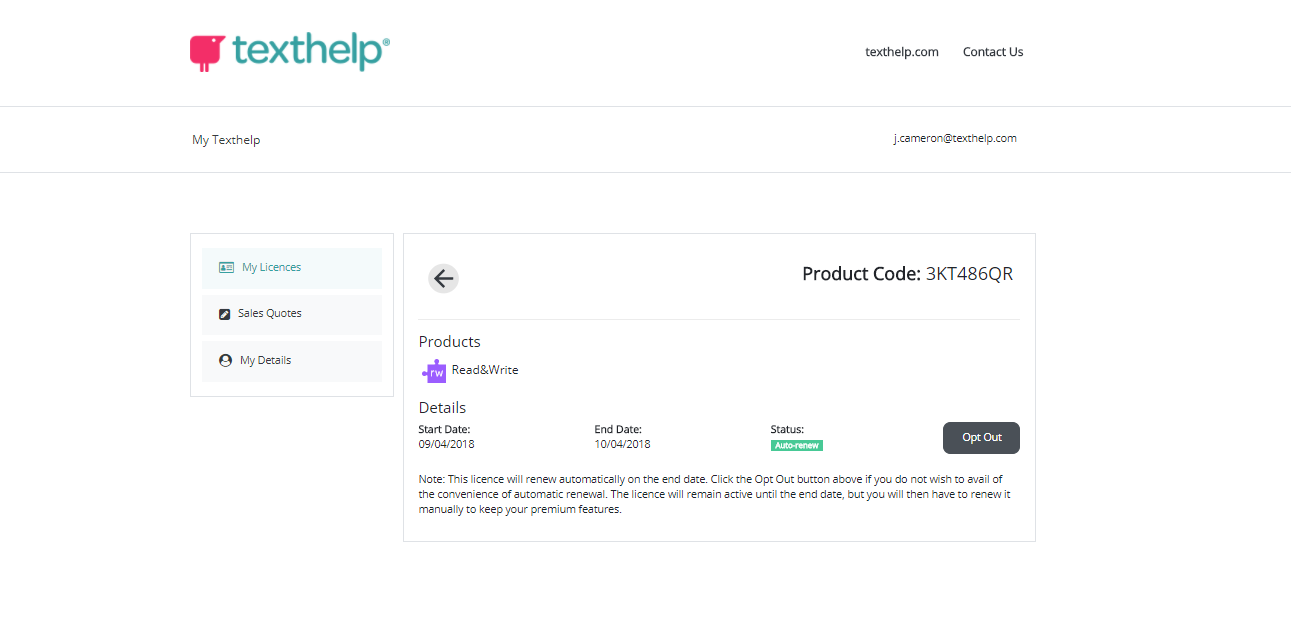
- Locate and select the desired Product Code.

- Select the "opt out" button to start the process.
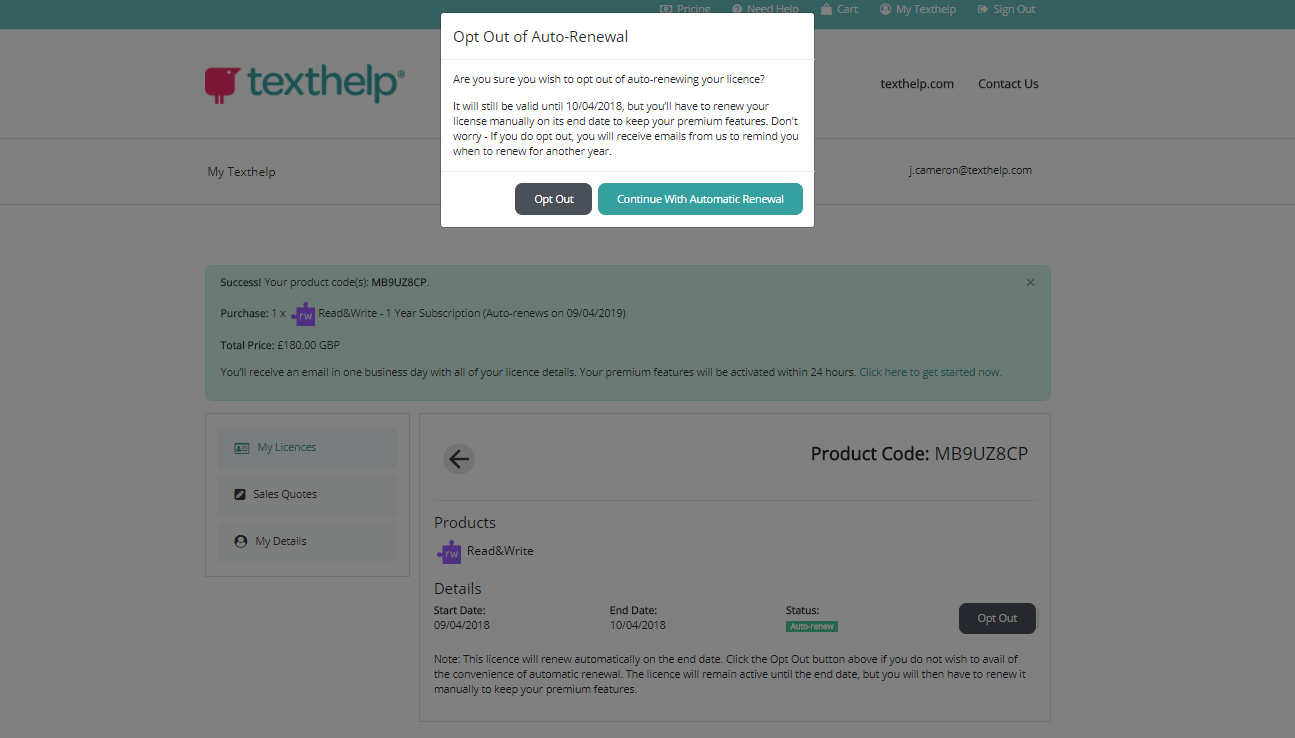
- Confirm you wish to opt out.
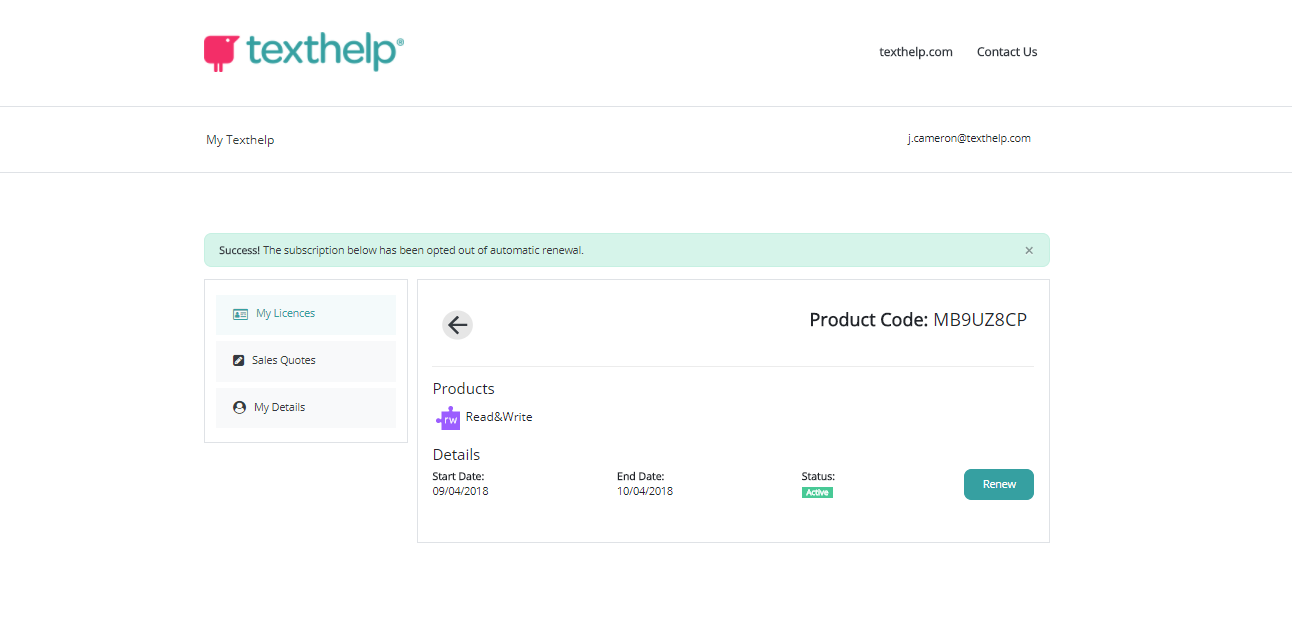
- You will now see a "renew" button instead.